
An empty view needs an explanation
An empty list can mean nothing has been added, no records match the filters, or information could not load. Inspect the message and next action for each.
You open a list of tasks and see an empty space. Has anyone added a task? Is a filter hiding the work? Did the information fail to load? The screen may look similar in each case, but the next useful action changes.
A message such as "Nothing here" leaves you to work out which situation you are in. Our suggested check is to review the reason for an empty view together with the action it offers. That small pairing gives you a concrete detail to discuss with the person building or maintaining the tool.
Three reasons for the same empty space
A genuinely empty list means the information loaded and no records exist within the scope being shown. A filtered list may contain records elsewhere, but none meet the current selection. An unavailable list means the tool could not obtain the information it needs to answer the question.
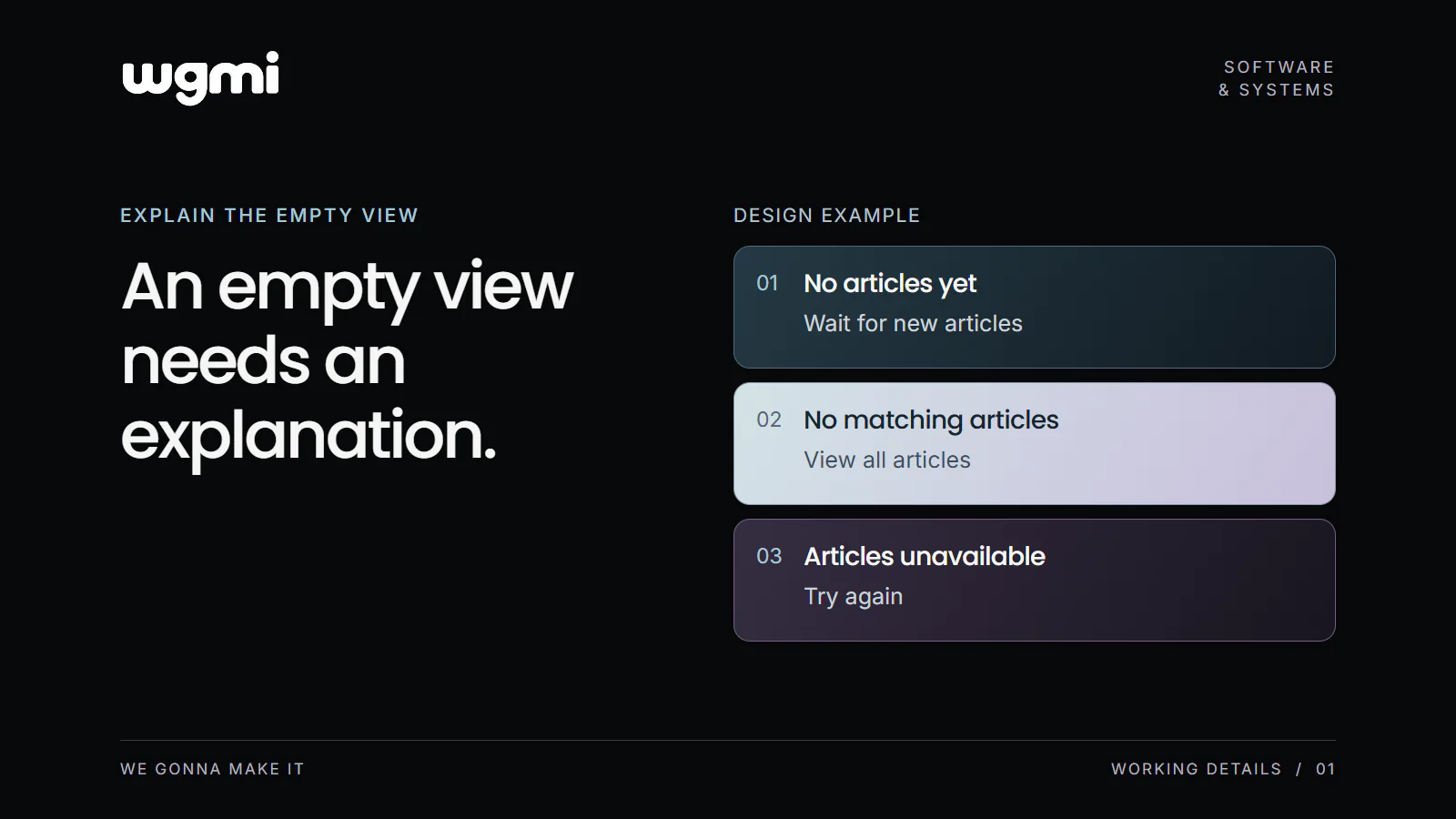
Our WGMI journal design provides an example. It has separate messages for an empty journal, a topic with no articles and an unavailable journal. The topic view links to all articles. The unavailable view offers a retry. We use that design here to examine how the explanation and action fit together.
For a reader browsing the journal, creating an article is not an available next step. The empty journal can explain that articles are being prepared. The same principle needs a different action in a tool where the person is allowed to create records.
Match the action to the situation
Consider this illustrative task list, used by someone who has permission to add tasks. These are proposed messages for the example.
No tasks have been added yet. Add your first task.
This message makes sense after the list has loaded successfully and the tool has established that it contains no tasks. The action gives that authorised person a useful starting point. If creating tasks belongs to another role, the message needs to explain the route available to the person reading it.
No tasks match these filters. Clear filters.
This wording keeps the explanation attached to the current selection. It avoids declaring the whole workspace empty. The active filters should remain visible so the person can understand what narrowed the list and decide whether to remove them.
We could not load your tasks. Try again.
Here, the tool cannot establish what the list contains. The message describes that uncertainty and offers a way to request the information again. It should not suggest creating a first task as though the absence of records had been confirmed.
Check what the tool actually knows
Before changing a sentence, ask the person maintaining the tool how it decides which message to show. If all three situations are treated identically, a wording change alone cannot establish which one happened. The view needs enough information to make that distinction.
There can also be a scope question. An empty list for one location does not establish that every location is empty. The label above the list, any filters and the message need to describe the same view. Keep the explanation close to the information the person expected to see.
A retry button is useful only if it attempts to load the relevant information again. A clear filters action should remove the selection it refers to. Following the action is part of the review; reading the sentence by itself leaves that connection unchecked.
Make one small review useful
Choose a list that someone on your team uses regularly. With the person maintaining it, arrange a safe review of an empty result, a selection with no matches and a temporary loading failure. Use test content where necessary.
For each condition, record what the message says, which action is offered and where that action leads. You are looking for a specific mismatch you can describe, such as a failed load being presented as an empty list, or a filter message with no way to clear the selection.
That gives the next discussion a clear subject: one situation, one explanation and one action that needs attention.
Inspect one list in your own tool under these three conditions and note the message and available action for each.
Prepared for WGMI with AI assistance.